User Guide
Welcome to Jovay! This guide is for users who want to connect to the Jovay network, move assets, and explore its growing ecosystem.
Jovay is a high-performance Layer 2 network built on Ethereum. It offers faster transactions, lower fees, and a secure environment for a wide range of decentralized applications (DApps).
Getting Started: Your Jovay Wallet
To interact with Jovay, you need a web3 wallet like MetaMask. The first step is to add the Jovay network to your wallet.
Add Jovay to MetaMask
Follow these steps to add Jovay to your wallet's list of networks:
- Open MetaMask and click on the network dropdown at the top.
- Select "Add network".
- Choose "Add a network manually".
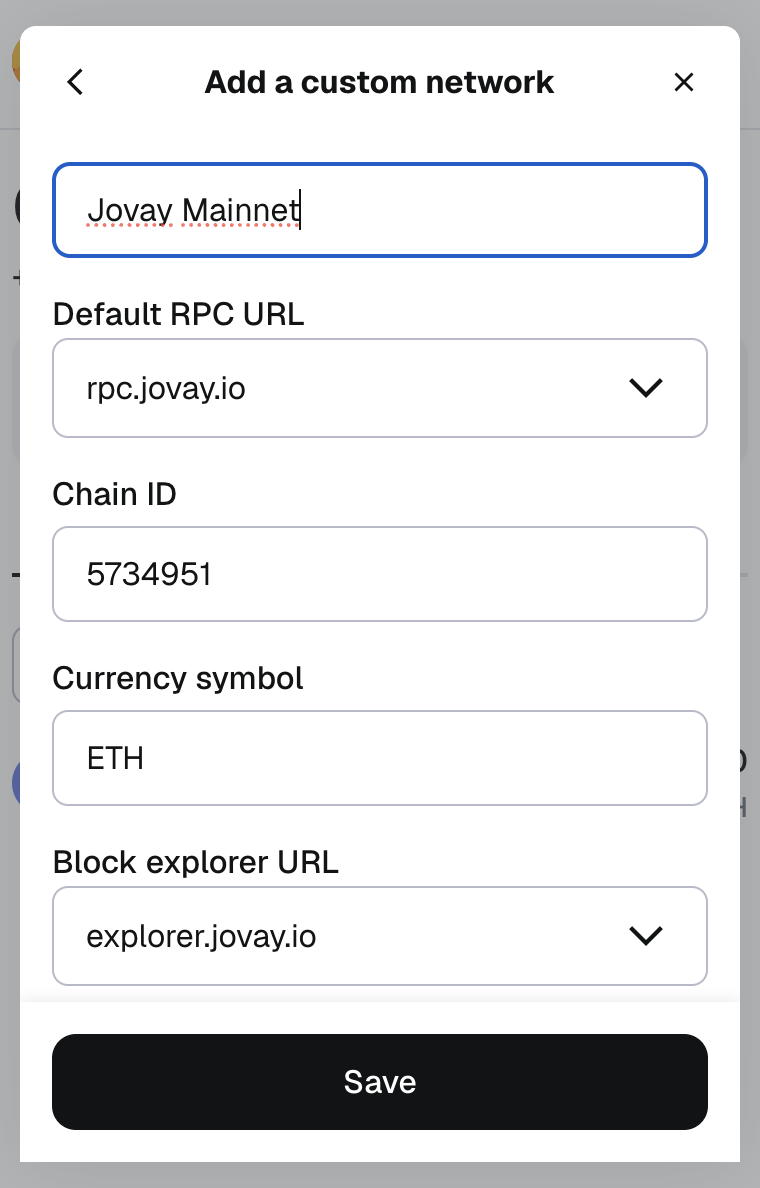
- Fill in the details for the network you wish to add (Mainnet for real assets, Testnet for testing).
Use the information from the table below:
| Configuration | Jovay Mainnet | Jovay Testnet |
|---|---|---|
| Network Name | Jovay Mainnet | Jovay Testnet |
| RPC URL | https://rpc.jovay.io | https://api.zan.top/public/jovay-testnet |
| Chain ID | 5734951 | 2019775 |
| Currency Symbol | ETH | ETH |
| Block Explorer URL | https://explorer.jovay.io | https://sepolia-explorer.jovay.io |
After saving, you can easily switch to the Jovay network from your wallet's network list.
Bridging Assets with the Jovay Bridge
To use DApps on Jovay, you'll need to move assets like ETH from the Ethereum mainnet to Jovay. This is done using a "bridge."
The official and easiest way to do this is with the Jovay Bridge DApp.
➡️ Launch the Jovay Bridge DApp
How it Works:
- Depositing to Jovay: You send assets from your Ethereum wallet to the bridge, and an equivalent amount appears in your wallet on the Jovay network.
- Withdrawing from Jovay: You initiate a withdrawal on the Jovay network, and after a security period, you can claim your assets back on the Ethereum network.
For a complete walkthrough, please see the Jovay Bridge DApp Tutorial.
Exploring the Ecosystem
Once you have funds on Jovay, you can explore the ecosystem. Here are some essential links:
- Jovay Explorer
The official block explorer. Use it to view your transaction history, check contract details, and see what's happening on the network in real-time. - Jovay Ecosystem
Discover the growing list of DApps, tools, and projects that are building on and supporting the Jovay network.
For Developers
Interested in building your own DApp on Jovay? Our architecture is EVM-equivalent, making it easy for Ethereum developers to get started.
To learn how to deploy your first smart contract, check out our Developer Guide.